

Buying prescription cat food at Petsmart is simple when you know the right steps. This guide walks you through getting a vet’s approval, choosing the right food, and ordering online or in-store. Keep your cat healthy with the right nutrition—easily and affordably.
Key Takeaways
- Prescription cat food requires a vet’s approval: You’ll need a valid veterinary prescription or authorization before Petsmart can sell it to you.
- Petsmart offers a wide range of prescription diets: Brands like Hill’s Prescription Diet, Royal Canin Veterinary Diet, and Purina Pro Plan Veterinary Diets are available.
- You can order online or buy in-store: Both options are convenient, but online ordering may offer faster processing and delivery.
- Set up automatic refills to save time: Petsmart’s AutoShip program ensures you never run out of your cat’s essential food.
- Always consult your vet before switching diets: Sudden changes can upset your cat’s stomach or worsen health conditions.
- Check for promotions and discounts: Petsmart often runs sales on pet food, including prescription options.
- Keep your prescription up to date: Most vets require annual renewals to continue prescribing therapeutic diets.
How to Buy Prescription Cat Food at Petsmart
If your cat has been diagnosed with a health condition like kidney disease, diabetes, urinary tract issues, or food allergies, your veterinarian may recommend a prescription diet. These specialized foods are formulated to support your cat’s medical needs and are not available over the counter. Fortunately, Petsmart makes it easy to purchase prescription cat food—both online and in-store—once you have the proper authorization.
In this comprehensive guide, you’ll learn everything you need to know about buying prescription cat food at Petsmart. We’ll walk you through the steps from getting a prescription to placing your order, choosing the right formula, and setting up automatic deliveries. Whether you’re a first-time pet parent or a seasoned cat owner, this guide will help you navigate the process with confidence.
By the end, you’ll understand how to work with your vet, use Petsmart’s online tools, and ensure your cat gets the nutrition they need without unnecessary stress or delays.
Step 1: Get a Prescription from Your Veterinarian
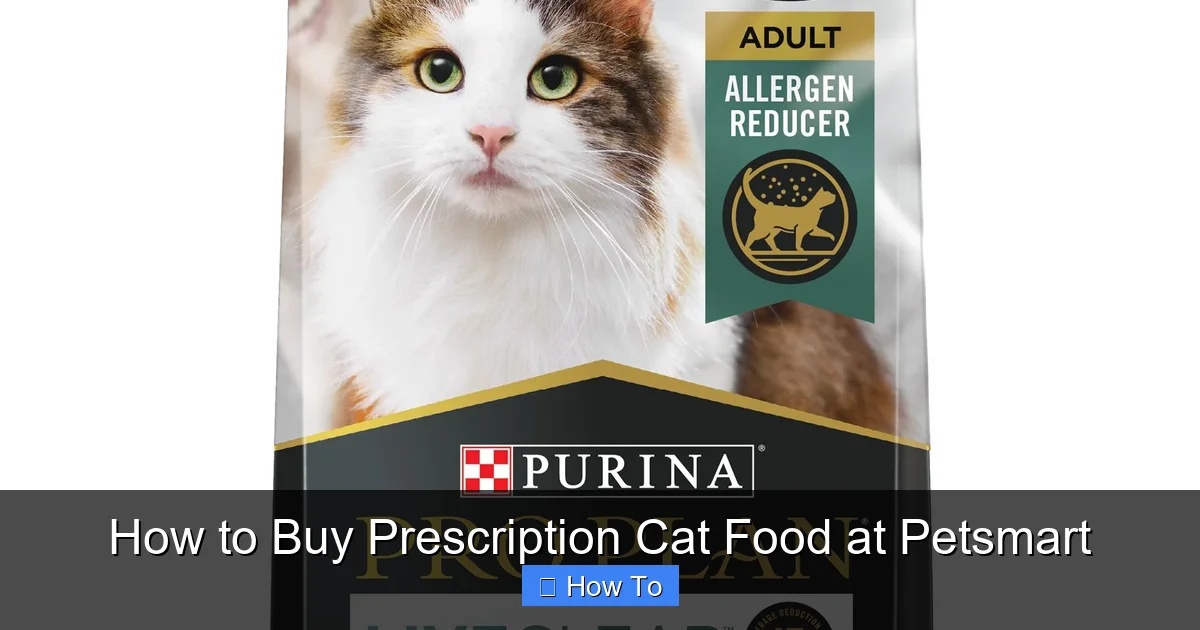
Visual guide about How to Buy Prescription Cat Food at Petsmart
Image source: s7d2.scene7.com
The first and most important step in buying prescription cat food is obtaining a valid prescription from your veterinarian. Unlike regular cat food, prescription diets are considered medical treatments and cannot be sold without veterinary authorization.
Why a Prescription Is Required
Prescription cat foods are designed to manage specific health conditions. For example, Hill’s Prescription Diet k/d supports kidney function, while Royal Canin Urinary SO helps prevent urinary crystals. Because these diets are medically tailored, they must be used under veterinary supervision to ensure safety and effectiveness.
Without a prescription, Petsmart cannot legally sell these products to you—even if you’ve used them before. This rule protects your cat’s health and ensures that therapeutic diets are only used when medically necessary.
How to Request a Prescription
Start by scheduling an appointment with your veterinarian. Bring your cat in for a check-up if they haven’t been seen recently. During the visit, discuss your cat’s symptoms, diet history, and any concerns you have.
If your vet determines that a prescription diet is appropriate, they will write a prescription. This may be a physical paper prescription, an electronic prescription sent directly to Petsmart, or a verbal authorization over the phone.
Some vets also provide a prescription number or authorization code that you can use when ordering. Make sure to ask for this information, as it will speed up the process.
What to Do If Your Vet Doesn’t Work with Petsmart
Not all veterinarians have direct partnerships with Petsmart, but that doesn’t mean you can’t buy prescription food there. You can still obtain a written prescription and submit it to Petsmart yourself.
Simply ask your vet to provide a signed prescription on their letterhead. Include your cat’s name, the recommended diet (brand and formula), dosage instructions, and the vet’s contact information. You can then upload this document when ordering online or bring it to a Petsmart store.
Renewing Your Prescription
Most prescriptions are valid for one year, but this can vary by state and veterinary practice. Set a reminder to renew your prescription before it expires. Your vet may require a follow-up appointment or bloodwork to continue the prescription.
If your prescription expires, you’ll need to get it renewed before placing a new order. Petsmart will not process orders with expired prescriptions.
Step 2: Choose the Right Prescription Cat Food
Once you have your prescription, it’s time to select the right food for your cat. Petsmart carries a wide variety of prescription diets, so it’s important to choose the one that matches your vet’s recommendation.
Popular Prescription Cat Food Brands at Petsmart
Petsmart stocks several trusted veterinary brands, including:
- Hill’s Prescription Diet: Offers formulas for kidney care, urinary health, weight management, digestive support, and more.
- Royal Canin Veterinary Diet: Known for breed-specific and condition-specific diets, including options for sensitive skin and gastrointestinal issues.
- Purina Pro Plan Veterinary Diets: Includes EN Gastrointestinal, UR Urinary, and DM Diabetes Management formulas.
- Blue Buffalo Natural Veterinary Diet: A newer option with limited-ingredient recipes for food sensitivities.
Each brand offers wet and dry versions, so you can choose based on your cat’s preferences and dietary needs.
How to Find the Right Formula
Your vet will typically recommend a specific formula based on your cat’s diagnosis. For example:
- Kidney disease: Look for low-phosphorus, low-protein diets like Hill’s k/d or Royal Canin Renal Support.
- Urinary tract issues: Choose diets that promote urine dilution and prevent crystal formation, such as Hill’s c/d or Royal Canin Urinary SO.
- Diabetes: High-fiber, low-carb options like Purina DM or Hill’s m/d help regulate blood sugar.
- Food allergies: Limited-ingredient or hydrolyzed protein diets like Hill’s z/d or Royal Canin Hypoallergenic can reduce allergic reactions.
Always follow your vet’s exact recommendation. Even small differences in ingredients can affect your cat’s health.
Wet vs. Dry Food: Which Is Better?
Both wet and dry prescription foods have benefits:
- Wet food: Higher moisture content helps with hydration, which is especially important for cats with kidney or urinary issues. It’s also more palatable for picky eaters.
- Dry food: Convenient for free-feeding and often more affordable. Some cats prefer the texture, and it can help with dental health.
Many cat owners use a combination of both. Talk to your vet about the best option for your cat’s condition and lifestyle.
Reading Labels and Ingredients
When comparing products, check the ingredient list and guaranteed analysis on the packaging. Look for:
- High-quality protein sources (e.g., chicken, turkey, or fish)
- Low levels of phosphorus, sodium, or carbohydrates (depending on the condition)
- No artificial colors, flavors, or preservatives
Avoid foods with fillers like corn, soy, or wheat—especially if your cat has food sensitivities.
Step 3: Decide Where to Buy: Online or In-Store
Petsmart offers two convenient ways to purchase prescription cat food: online through their website or mobile app, or in-person at a retail location. Each option has its pros and cons.
Buying Online: Pros and Cons
Pros:
- Convenient—order from home anytime
- Faster prescription verification process
- Access to AutoShip for automatic deliveries
- Often more inventory available
- Easy to compare prices and read reviews
Cons:
- Shipping fees may apply (though free shipping is often available on orders over $35)
- You can’t inspect the product before buying
- Delivery delays possible during peak times
Buying In-Store: Pros and Cons
Pros:
- Immediate pickup—no waiting for shipping
- Ability to speak with store staff for help
- See product packaging and expiration dates
- Possible in-store promotions or discounts
Cons:
- May need to wait for prescription verification
- Limited inventory compared to online
- Store hours may not fit your schedule
Which Option Is Best for You?
If you’re in a hurry or prefer face-to-face service, visit your local Petsmart. For convenience and long-term planning, online ordering is usually the better choice—especially if you set up AutoShip.
Step 4: Place Your Order Online
Ordering prescription cat food online through Petsmart is simple and secure. Follow these steps to complete your purchase.
Create or Log In to Your Petsmart Account
Go to petsmart.com and click “Sign In” in the top right corner. If you don’t have an account, click “Create Account” and enter your email, password, and basic information.
Having an account allows you to save prescriptions, track orders, and use AutoShip.
Search for Your Prescription Food
Use the search bar to find your cat’s food. Type in the brand and formula (e.g., “Hill’s Prescription Diet k/d”). You can also browse by category: “Cat Food” > “Prescription Diets.”
Filter results by brand, life stage, health condition, or food type (wet/dry) to narrow your options.
Add the Item to Your Cart
Once you find the correct product, select the size (e.g., 8.5 lb bag or 5.5 oz cans) and quantity. Click “Add to Cart.”
If you’re ordering multiple items, review your cart to ensure everything is correct.
Upload Your Prescription
When you proceed to checkout, Petsmart will prompt you to upload your prescription. Click “Upload Prescription” and select the file from your computer or phone.
Accepted formats include PDF, JPG, and PNG. Make sure the image is clear and all details are readable.
If your vet sent the prescription directly to Petsmart, you may not need to upload it. Check the status in your account under “Prescriptions.”
Complete Your Order
Enter your shipping address and payment method. Choose your delivery option:
- Standard Shipping: 5–7 business days
- Express Shipping: 2–3 business days (additional fee)
- Same-Day Delivery: Available in select areas via DoorDash
Review your order summary and click “Place Order.” You’ll receive a confirmation email with tracking information.
Set Up AutoShip (Optional but Recommended)
To avoid running out of food, enroll in AutoShip. During checkout, select “Subscribe & Save” and choose your delivery frequency (e.g., every 4 weeks).
Benefits of AutoShip:
- 15% off every order
- Free shipping on all AutoShip orders
- Automatic prescription renewal reminders
- Easy to pause, skip, or cancel anytime
You can manage your AutoShip settings in your account dashboard.
Step 5: Pick Up or Receive Your Order
Once your order is processed, you’ll receive it either by delivery or in-store pickup.
Home Delivery
If you chose shipping, your order will arrive in 2–7 business days, depending on the option you selected. Petsmart uses carriers like UPS, FedEx, and DoorDash.
Track your package using the link in your confirmation email. Most orders are shipped in insulated packaging to protect the food.
Store Pickup
If you selected in-store pickup, you’ll get an email when your order is ready. Bring your ID and the prescription (if not already uploaded) to the store.
Go to the pickup counter, provide your order number, and collect your items. Staff will verify your prescription if needed.
Same-Day Delivery
In select cities, Petsmart offers same-day delivery through DoorDash. Orders placed before 12 PM are typically delivered by 8 PM.
You’ll receive real-time updates and can track the driver’s location on your phone.
Step 6: Transition Your Cat to the New Food
Even prescription diets should be introduced gradually to avoid digestive upset.
How to Switch Foods Safely
Over 7–10 days, slowly mix the new food with your cat’s current diet:
- Days 1–2: 25% new food, 75% old food
- Days 3–4: 50% new food, 50% old food
- Days 5–6: 75% new food, 25% old food
- Day 7+: 100% new food
Monitor your cat for signs of digestive issues like vomiting, diarrhea, or loss of appetite. If problems persist, contact your vet.
Tips for Picky Eaters
Some cats resist new foods, especially if they’re used to a different taste or texture.
Try these tricks:
- Warm the food slightly to enhance aroma
- Mix in a small amount of tuna juice or low-sodium broth
- Offer wet food first, as it’s often more appealing
- Feed smaller, more frequent meals
Never force your cat to eat. If they refuse the food for more than 24 hours, consult your vet.
Troubleshooting Common Issues
Even with the best planning, you might run into problems. Here’s how to handle common issues.
“My Prescription Was Rejected”
Petsmart may reject a prescription if:
- It’s expired
- The handwriting is illegible
- The vet’s license number is missing
- The food requested isn’t available
Solution: Contact your vet to clarify or reissue the prescription. You can also call Petsmart customer service for help.
“The Food Isn’t Available Online”
Some prescription diets are only sold in-store or have limited online stock.
Solution: Call your local Petsmart to check availability. You can also ask if they can special-order the item for you.
“My Cat Won’t Eat the New Food”
This is common, especially with medical diets that may taste different.
Solution: Try mixing in a topper or switching between wet and dry. If your cat continues to refuse, talk to your vet about alternative formulas.
“I Forgot to Renew My Prescription”
If your prescription expires, you’ll need to get it renewed before placing a new order.
Solution: Schedule a vet appointment or call your clinic to request a renewal. Some vets offer telehealth consultations for prescription renewals.
Tips for Saving Money on Prescription Cat Food
Prescription diets can be expensive, but there are ways to reduce costs.
Use AutoShip for Discounts
As mentioned earlier, AutoShip gives you 15% off every order and free shipping. Over time, this adds up to significant savings.
Look for Promotions and Coupons
Petsmart frequently runs sales on pet food. Check their website, app, or weekly ad for deals. You can also sign up for their email list to get exclusive offers.
Buy in Bulk (When Possible)
Larger bags or multi-can packs often cost less per ounce. If your cat tolerates the food well, consider buying a bigger size to save money.
Ask Your Vet About Generic Alternatives
Some conditions have multiple prescription options. Ask if a less expensive formula would work just as well.
Check for Rebates and Manufacturer Offers
Brands like Hill’s and Royal Canin sometimes offer rebates or free samples. Visit their websites or ask your vet for details.
Conclusion
Buying prescription cat food at Petsmart doesn’t have to be complicated. With a valid prescription, the right product knowledge, and a clear plan, you can ensure your cat gets the nutrition they need to stay healthy.
Start by consulting your veterinarian to get the proper authorization. Then, choose the best food for your cat’s condition and decide whether to order online or in-store. Take advantage of AutoShip for convenience and savings, and always transition your cat slowly to avoid digestive issues.
Petsmart’s wide selection, reliable service, and customer support make it a top choice for pet owners managing their cat’s health through diet. By following this guide, you’ll be well-equipped to navigate the process with confidence—and give your feline friend the care they deserve.